StepNudge sends a quiet reminder when you're falling behind on your steps — at the exact times you choose.
Download on the App Store
Simple by design, powerful where it counts.
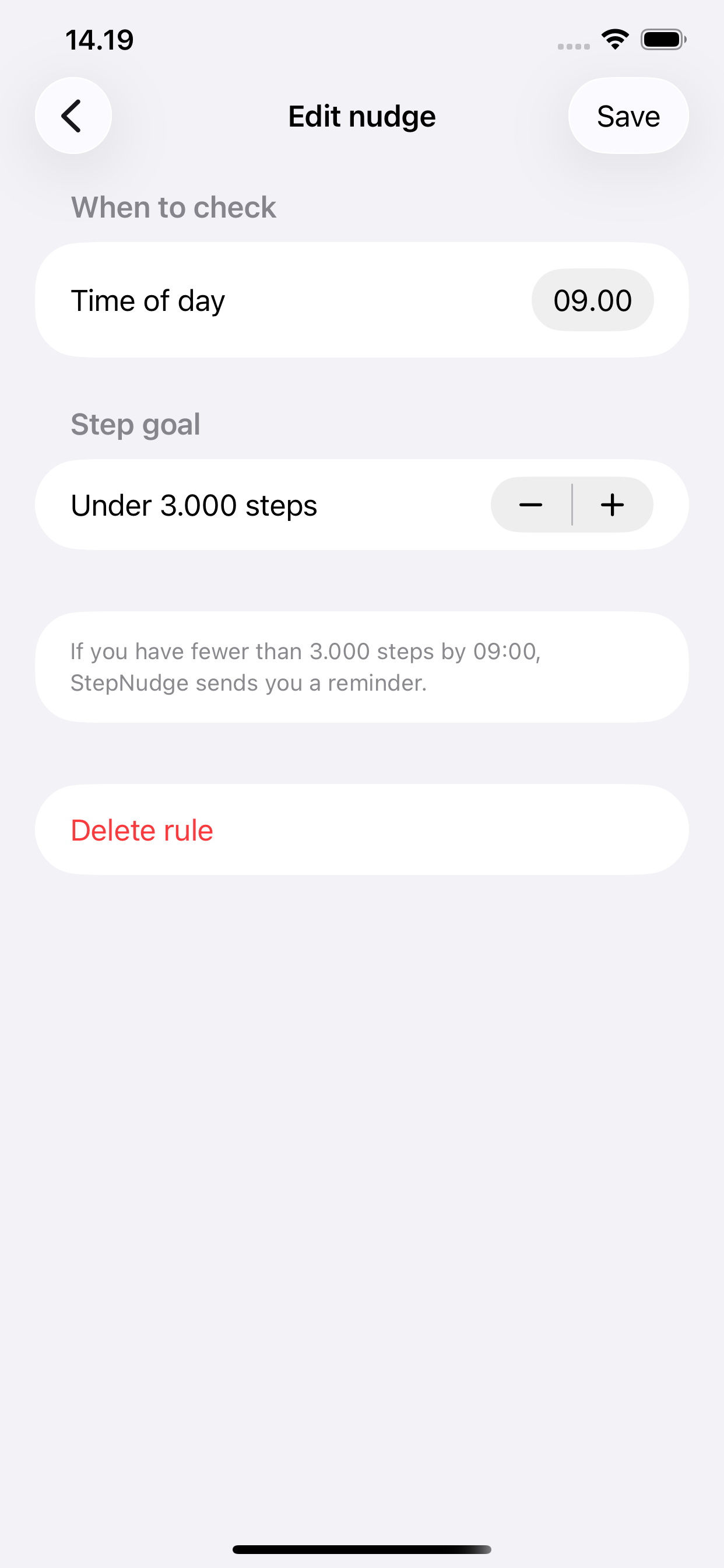
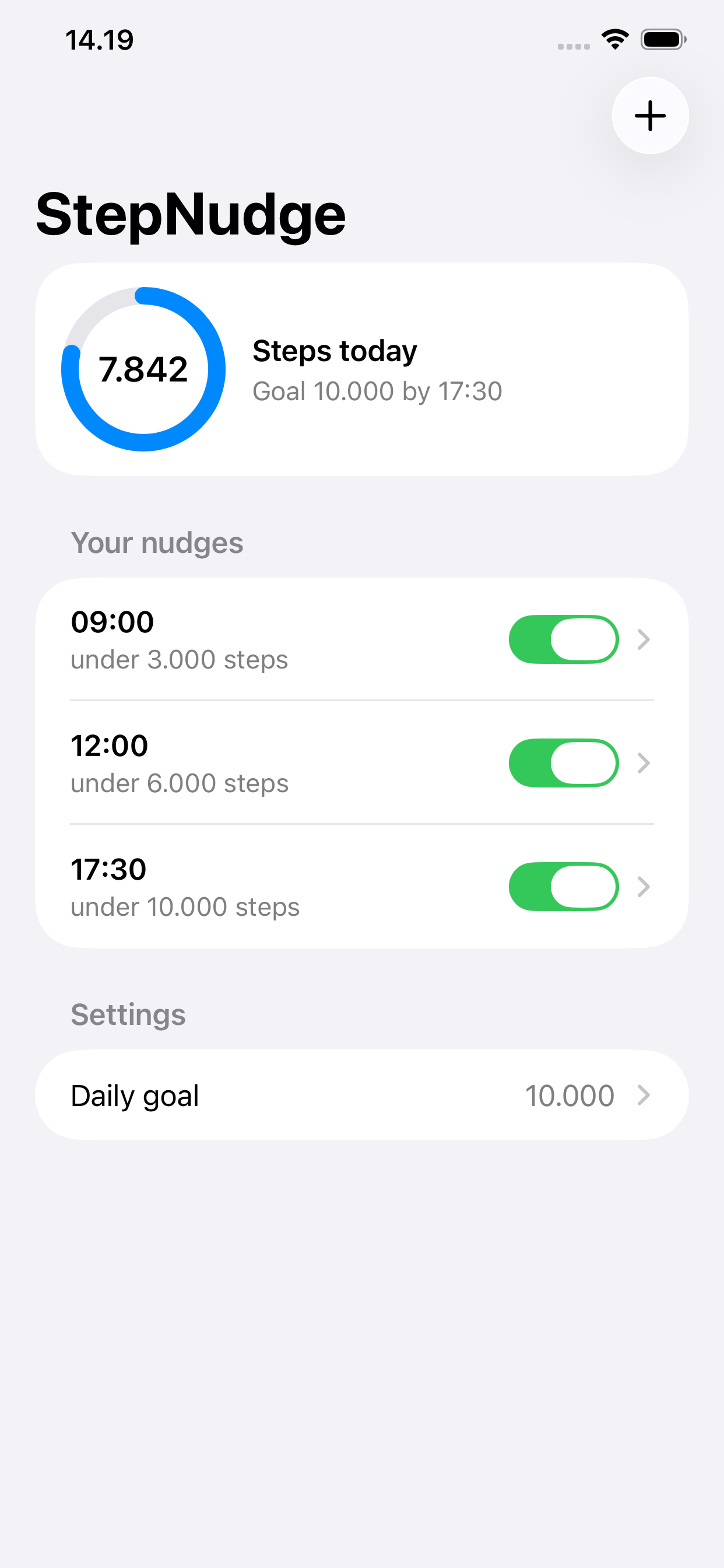
Set rules for any time of day. If you're under your target steps by that time, you get a gentle reminder to take a walk.
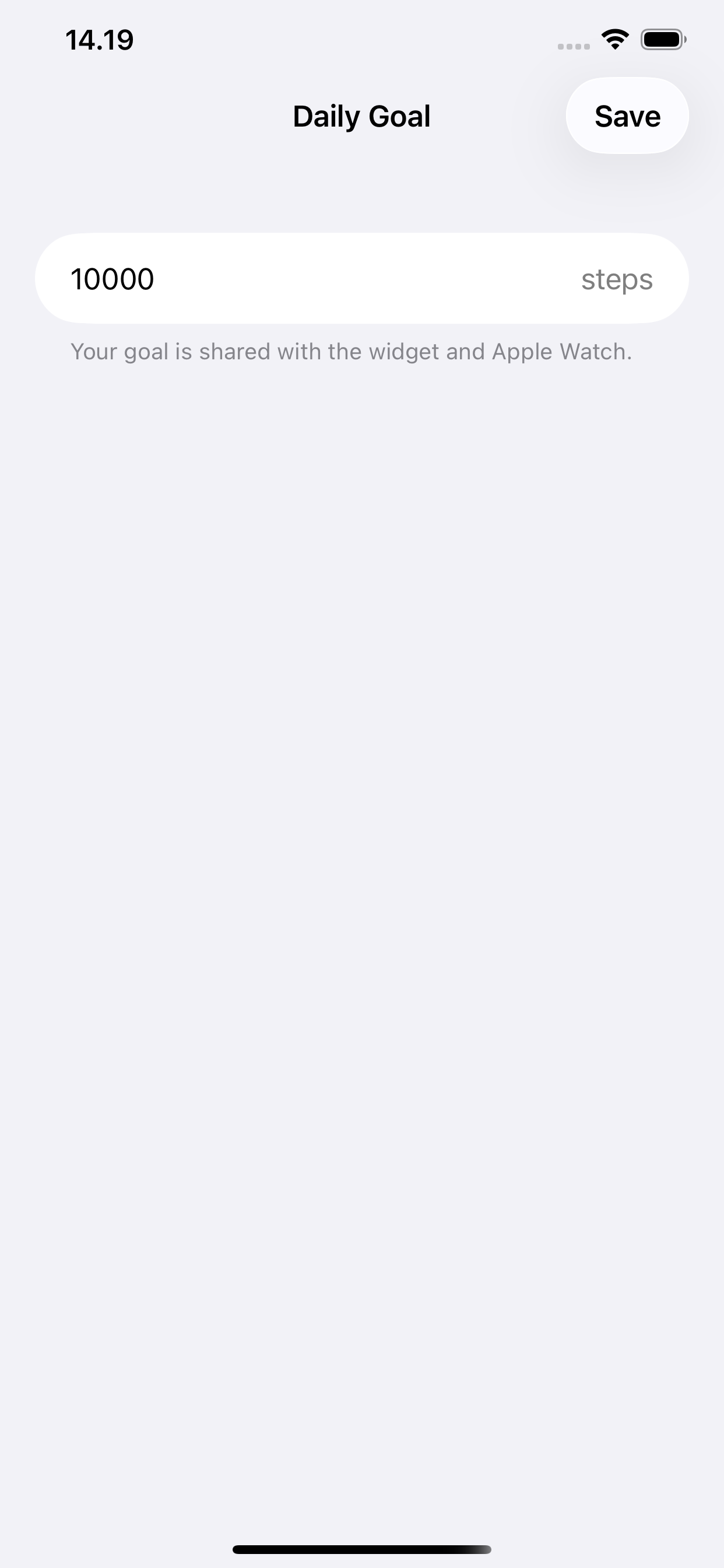
Set a personal step goal and track your progress. It syncs automatically to your Apple Watch and all your widgets.
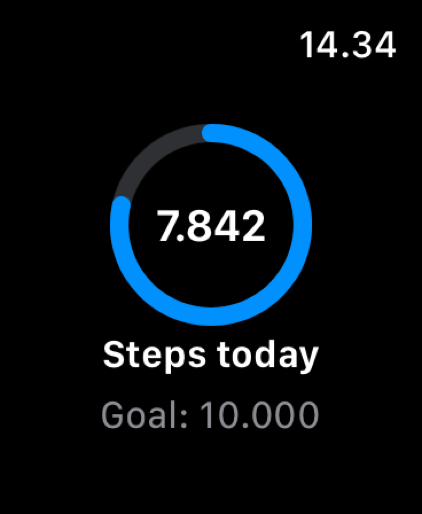
See a clear progress ring right on your wrist. Today's step count and your goal — always one glance away.
Add a progress widget to your Home Screen in small, medium, or large. Lock Screen and Apple Watch complications included.
Your step count stays on your device. No accounts, no servers, no tracking — ever. Read the privacy policy.
No subscription, no premium tier, no upsells. StepNudge is free to download and free to use — period.
Privacy isn't a feature — it's the foundation.
We collect zero data about you or your activity. There is nothing to collect.
No analytics, no crash reporting services, no advertising SDKs. Nothing.
Open the app and start using it. No sign-up, no email, no password.
StepNudge has no backend. Your step count and rules live only on your device.
Reminders are generated entirely on your phone. Nothing passes through the internet.
StepNudge only reads your step count from Apple Health. It never writes any data.
In plain English: StepNudge reads your step count from Apple Health on your device, compares it to your rules, and schedules a local notification if you're behind. That's the entire flow. Your data never leaves your phone, and there is no company server involved at any point. Full privacy policy →
Set it once. Let it run.
Tap + and choose a time of day and a step target. Example: "if I'm under 4,000 steps by noon, remind me."
Pick your total daily step target — it appears on your Apple Watch and in all your widgets.
StepNudge runs quietly in the background. If your step count is on track, you won't hear a thing.
If you're behind at a rule's check-in time, a single notification reminds you to take a short walk.
Free to download. No account. No tracking. Just steps.
Download on the App Store